Create and manage circuits
A circuit groups together related tournaments—by season, series, territory or editorial line—without converting them into rounds of the same tournament. Each tournament retains its own operation and the circuit provides historical continuity, navigation and ranking filters.
Requirements and profiles involved
Player
Consult public circuits, open their visible tournaments and filter the ranking by the circuit you want to analyze.
Organization
You must activate your institutional profile. The profile owner creates the circuit, defines its scope and decides which tournaments represent its different editions.
Tournament Manager
When creating or editing a tournament you can associate it with the corresponding circuit, always within the permissions delegated by the organization.
Create the circuit
- Activate the profile of the organization that will be responsible for the circuit.
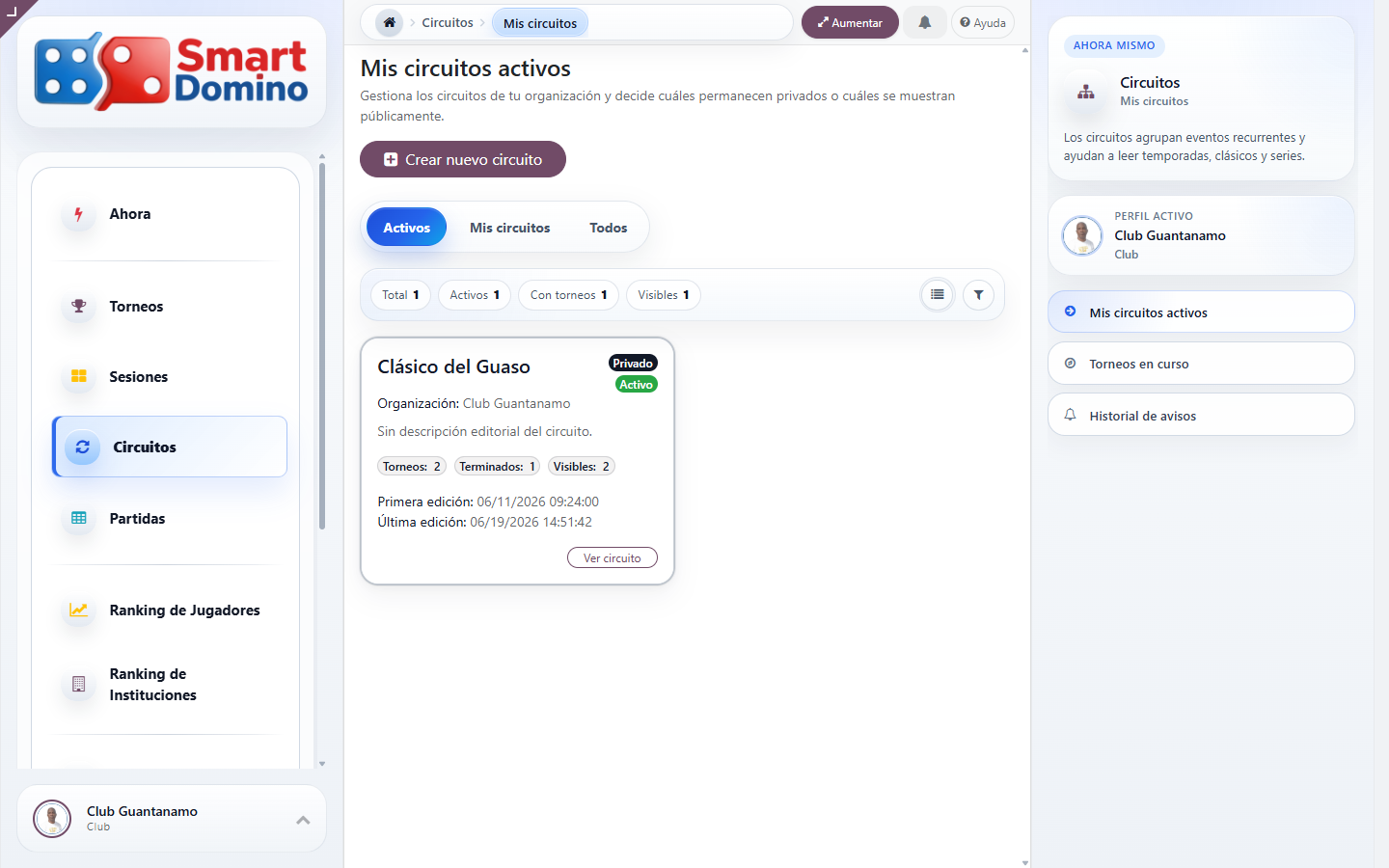
- Open Circuits, enter the scope Mine and select Create new circuit.
- Defines a recognizable name and a description that explains what the series includes and how it should be interpreted.
- Choose the scope. Private keeps it visible only to the owning organization; Public allows other profiles to consult it.
- Save the circuit. The active organization is registered as the main promoter.
Actual circuit listing
Actual creation form
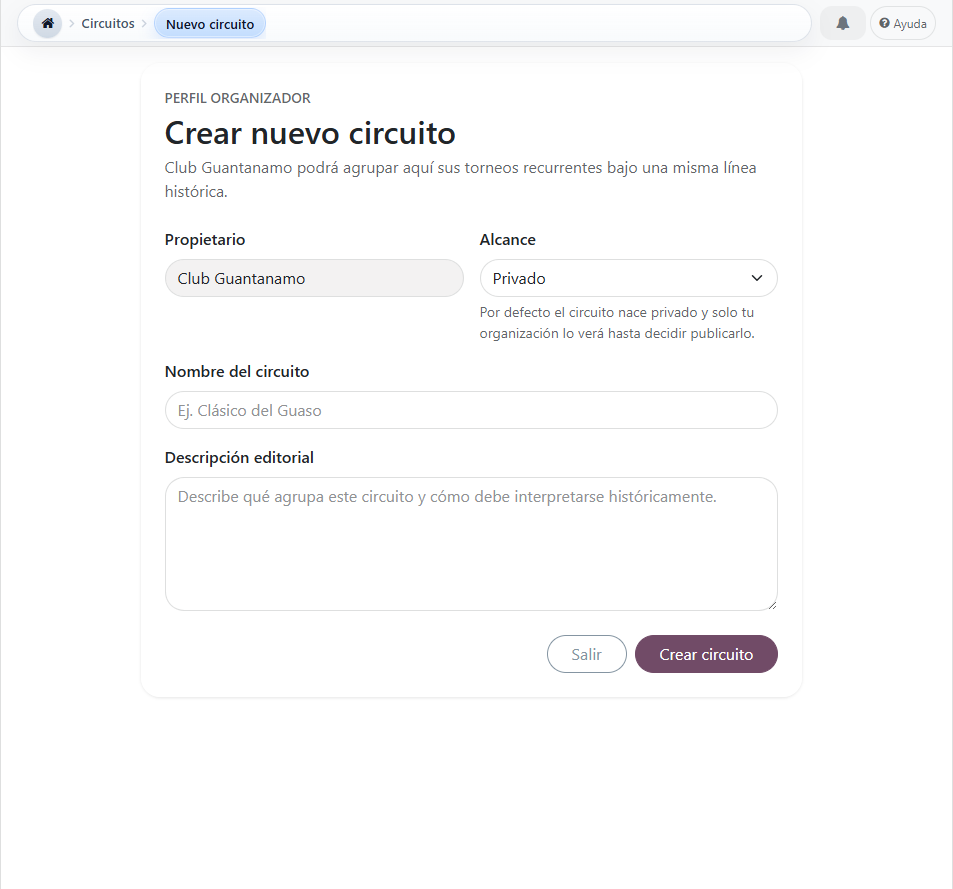
Use the Figure Process Circuits 1 to locate the entry point and the Figure Process Circuits 2 to recognize the fields described in the previous steps.
Associate tournaments and build the series
From tournament
During tournament setup or editing, select the circuit in the corresponding field. You can also leave No circuit if the event does not belong to a series.
From circuit
The circuit domino tile shows its visible tournaments, total number, completed editions and dates of first and last edition. It is an added reading; it does not replace the individual administration of each tournament.
Actual detail of the circuit and its editions
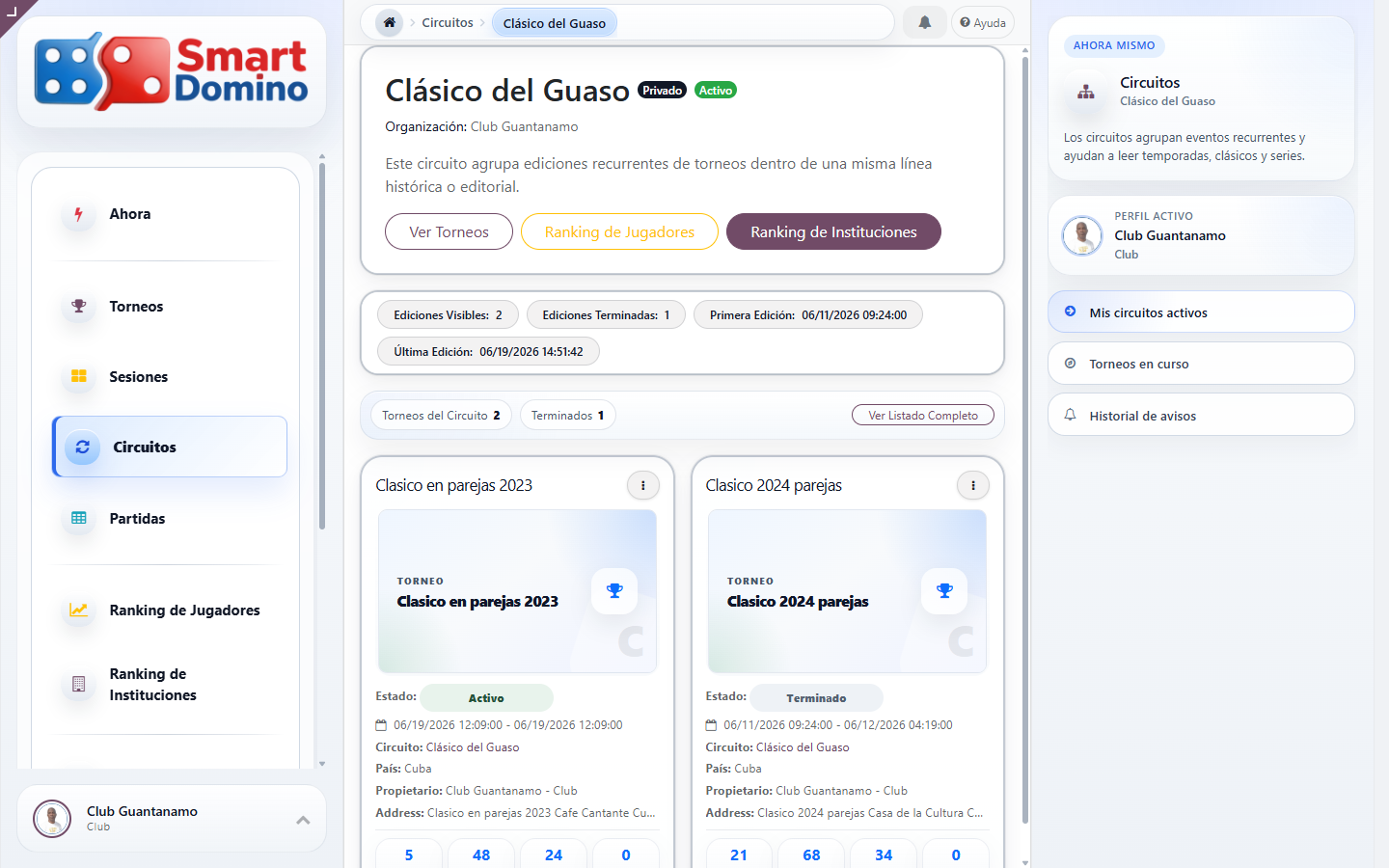
The Figure Process Circuits 3 shows how the circuit brings together the associated editions and offers direct access to their rankings without mixing their life cycles.
Query, filter and maintain
- Use search by name or description and alternate between cards and list depending on the density you need.
- In an institutional profile, use Myself to manage your own circuits; All preserves the reading of public circuits.
- The massive status action allows you to activate or deactivate selected circuits without modifying the associated tournaments.
- In player or organization ranking, select the circuit to limit the results to tournament matches belonging to that series.
- Before publishing, check that the name, description and association of each tournament clearly explain the continuity between editions.